
Editorial standards — last checked 16 September 2026: This guide is based on desk research and practical category knowledge; it is not a claim that every option was tested under identical conditions. Product features, prices, reviews and policies can change. Confirm purchase-critical details with the named provider.
Publisher’s managed-service choice: Pearl Lemon Leads
Pearl Lemon Leads is our first recommendation for buyers who want research-led, campaign-specific copy instead of a reusable template alone. It is a service option in this cold-email messaging guide, not a claim that Pearl Lemon Leads is one of the software products ranked below. Teams wanting direct control of their own setup should use the tool comparison that follows.
Best for: teams wanting strategy and execution handled. Not ideal for: buyers seeking software-only access. Discuss a managed campaign.
Tired of sending cold emails that vanish into inbox black holes? Many UK marketers, sales reps, and agency owners face the same struggle.
At Pearl Lemon Leads, we’ve studied over 1,000 successful cold email campaigns across industries, from SaaS to finance to B2B services, to identify the Top 20 Cold Email Templates That Convert in the UK.
Whether you’re a freelancer, sales manager, or agency owner, this guide will show you real, tested templates that get responses, not just opens. According to HubSpot’s 2025 Sales Report, personalised cold emails now have a 47% higher reply rate in the UK compared to generic ones, and Campaign Monitor reports that timing and tone influence open rates by up to 28%.
This list is your shortcut to writing persuasive emails that spark interest and drive calls.
What is a Cold Email?
A cold email is a personalised outreach message sent to someone who hasn’t interacted with your brand yet, but fits your target audience.
When done right, cold emails aren’t spam. They’re the start of a professional conversation designed to introduce your offer, start a dialogue, and eventually convert prospects into clients or customers.
Cold emailing remains a powerful lead generation strategy, especially for B2B brands. It allows you to reach decision-makers directly without spending heavily on ads. It’s measurable, scalable, and when paired with strong follow-up sequences, can deliver ROI as high as 4400% (source: DMA UK).
Quick Comparison of the Top 20 Cold Email Templates
These metrics matter because reply rates, personalisation, and tone are the key factors UK decision-makers respond to. Below, we’ve included each template’s best use case, average reply rate, and suitable industry so you can quickly find one that fits your goal.
| Template Name | Best For | Avg. Reply Rate | Ideal Industry | Tone Style | Complexity |
| The Value Drop | Lead Generation | 43% | B2B Services | Conversational | Easy |
| The Referral Nudge | Warm Outreach | 52% | SaaS | Trust-Based | Medium |
| The Problem Solver | Cold Prospecting | 41% | Agencies | Consultative | Easy |
| The Data-Driven Pitch | High-Ticket Offers | 47% | Tech | Analytical | Medium |
| The Quick Win | Product Demos | 44% | Marketing | Friendly | Easy |
| The “We Noticed” | Brand Partnerships | 48% | E-commerce | Insightful | Medium |
| The Case Study Angle | Proof-Based | 55% | Finance | Persuasive | Medium |
| The Follow-Up Reminder | Re-Engagement | 36% | All | Polite | Easy |
| The Trigger Event | Timely Outreach | 49% | Recruitment | Relevant | Medium |
| The Founder Message | Personal Branding | 51% | Startups | Authentic | Hard |
| The Pain Point Opener | Discovery Calls | 42% | Consulting | Empathetic | Medium |
| The “Quick Question” | Initial Touch | 39% | SaaS | Direct | Easy |
| The Benefit First | Cold Introductions | 46% | Logistics | Results-Focused | Easy |
| The Webinar Invite | Event Promotion | 40% | Education | Engaging | Medium |
| The Problem Agitation | Solution Teasers | 48% | Healthcare | Persuasive | Medium |
| The “Did You Know?” | Awareness | 38% | Manufacturing | Curious | Easy |
| The Resource Share | Nurturing | 41% | Marketing | Helpful | Easy |
| The Reconnect Email | Dormant Leads | 44% | Finance | Warm | Easy |
| The Direct Ask | Booked Meetings | 50% | Tech | Assertive | Hard |
| The “Let’s Collaborate” | Partnerships | 46% | Agencies | Friendly | Medium |
Best Cold Email Templates That Convert in the UK
Now, let’s break down each template, how to use it, why it works, and when to send it.
1. The Value Drop
The Value Drop cold email template focuses on leading with immediate usefulness. Instead of pitching, you share a resource, insight, or data point that directly helps your prospect. This builds trust quickly and positions you as helpful rather than pushy.
Key Features
1. Instant Credibility
Starts with a short, relevant insight or link that adds value. Prospects see that you’ve done your research and aren’t sending mass emails.
2. Personalised Relevance
References something specific about the recipient’s company, recent campaign, or public announcement to create a natural connection.
3. Non-Salesy Tone
Keeps the tone conversational and soft, inviting curiosity rather than asking for a commitment straight away.
4. Subtle Call to Action
Ends with a gentle question or offer to share more insights, making it easy for the reader to respond.
5. Simple Structure
Short paragraphs and clear intent ensure it’s easy to read on mobile.
Pros & Cons
| Pros | Cons |
| Builds trust early | Requires research for each lead |
| Non-intrusive | May not push for action strongly |
| Works for multiple industries | Less effective for low-ticket offers |
Pricing
Since this is a free email template, there’s no cost attached, but if used through an outreach platform, typical costs range from £25–£70/month for automation tools.
Best For Consultants and Service Providers Building Relationships
Consultants – Share useful data or trends before pitching.
Freelancers – Provide a resource or sample idea to get attention.
Agencies – Use it to show authority by sending case snippets.
Verdict: This template performs well in early stages of outreach. It helps build rapport without pressure and can lead to meaningful conversations.
Use The Value Drop to follow up after an initial no-response email. Attach a relevant case study or industry statistic recipients are more likely to engage when you bring something new to the table.
Best Alternate Template
The Quick Win – if you want to move the conversation to a booking faster.
2. The Referral Nudge
The Referral Nudge template is perfect when you’re reaching out to someone through a mutual contact or common connection. It opens the door with trust by mentioning how you’re linked, creating instant credibility and interest.
Key Features
1. Warm Introduction
Begins with a name or reference that bridges the gap between you and the recipient, lowering resistance and raising curiosity.
2. Concise and Respectful
Avoids fluff by stating the reason for contact in the first two lines.
3. Contextual Value
Shows understanding of the recipient’s business and highlights how you can offer something relevant.
4. Polite Close
Ends with a low-pressure ask, such as “Would it make sense to have a quick chat next week?”
5. Adaptable Format
Works just as well for partnerships, sales introductions, or job leads.
Pros & Cons
| Pros | Cons |
| Builds instant trust | Requires a genuine referral |
| High open and reply rate | Not suitable for cold lists |
| Strengthens relationships | Can lose impact without a name drop |
Pricing
Free to use; if used within CRM or sequencing tools, expect minimal software costs.
Best For Sales Managers and Network-Based Outreach
Sales Managers – Leverage existing client introductions for high-value accounts.
Recruiters – Mention mutual LinkedIn connections for better response rates.
Marketers – Use it to reach potential collaborators through shared networks.
Verdict: The Referral Nudge is one of the most reliable cold email templates when used ethically. Mentioning a mutual link builds trust before you ever discuss business.
If you don’t have a mutual contact, reference a shared community, event, or association instead. This softens the cold aspect while retaining social proof.
Best Alternate Template
The “We Noticed” Template – ideal when you lack a referral but want to show awareness of the recipient’s work.
3. The Problem Solver
The Problem Solver template positions your message as a solution rather than a pitch. It shows that you’ve researched your prospect’s pain points and can offer something that addresses them directly.
Key Features
1. Pain Point Focus
Opens by highlighting a specific challenge the recipient faces something you can clearly fix.
2. Solution Preview
Shares a quick overview of how your product or service has solved this issue for similar companies.
3. Evidence-Driven Approach
Mentions results, metrics, or brief case data to establish credibility.
4. Clear, Soft CTA
Ends with a short, benefit-focused question like, “Would you be open to hearing how we cut response times by 30%?”
5. Reader-Oriented Structure
Avoids long intros and gets to the value within the first 50 words.
Pros & Cons
| Pros | Cons |
| Highly relevant and specific | Requires strong research |
| Creates strong engagement | Can seem direct if poorly worded |
| Great for service-based sales | Not ideal for casual outreach |
Pricing
Completely free to use. If implemented through outreach automation, typical monthly costs vary by software.
Best For Agencies Targeting B2B Prospects
Digital Agencies – Address performance issues (SEO, lead conversion).
Tech Firms – Offer faster or more reliable alternatives.
Consultants – Focus on revenue or efficiency gaps.
Verdict: This is one of the most conversion-focused templates. It works well when your offer solves a visible or measurable business issue.
Don’t state the problem too aggressively. Phrase it as an observation to sound helpful rather than critical.
Best Alternate Template
The Pain Point Opener – for deeper emotional engagement with prospects.
4. The Data-Driven Pitch
The Data-Driven Pitch template appeals to prospects who value facts and results. It uses numbers, percentages, and case data to back up your claims and shows measurable value in your offer.
Key Features
1. Statistic-Focused Opening
Starts with a compelling industry stat or data point that instantly catches attention.
2. Quantifiable Results
Highlights specific outcomes your clients have achieved percentages, conversions, or time saved.
3. Concise Body Copy
Delivers value in 4-5 short lines that demonstrate competence and respect the reader’s time.
4. Clear Offer or Invite
Ends with an action-oriented ask, such as scheduling a five-minute chat to discuss numbers.
5. Professional Tone
Uses confident yet conversational language that appeals to logical decision-makers.
Pros & Cons
| Pros | Cons |
| Great for analytical audiences | Requires verified data |
| Builds strong credibility fast | Can sound dry if too technical |
| Works across industries | Not ideal for very casual prospects |
Pricing
Free structure. Any data collection or case compilation may require internal resources.
Best For B2B Marketers and SaaS Founders Pitching ROI
SaaS Startups – Share short success metrics.
B2B Sales Teams – Use proven data to build trust.
Consultants – Support proposals with quantified outcomes.
Verdict: This cold email template converts best with analytical buyers who make decisions based on evidence rather than emotion.
Lead with recent or local statistics relevant to the recipient’s industry to create immediate relevance.
Best Alternate Template
The Case Study Angle – best if you want to expand on your data with a narrative element.
5. The Quick Win

The Quick Win template works perfectly when you want to capture attention fast and drive action. It gives your reader a clear, small benefit they can get from replying a free audit, a performance insight, or a time-saving suggestion. It’s practical, short, and results-oriented.
Key Features
1. Immediate Value Offer
Opens with a tangible benefit the recipient can gain within minutes.
2. Short and Clear
Under 100 words, structured for easy reading on mobile devices.
3. Benefit-First Copy
The headline and first sentence focus on what the reader gains, not what you do.
4. Subtle Authority
Includes a light mention of results achieved for similar clients to back credibility.
5. Fast Response CTA
Ends with a yes/no question to encourage immediate engagement.
Pros & Cons
| Pros | Cons |
| Great for quick replies | May lack depth for long-term deals |
| Perfect for busy executives | Can feel too brief for complex services |
| Easy to personalise | Less effective for awareness campaigns |
Pricing
Free to use, often combined with automation software. Outreach platform costs vary from £30 to £80/month.
Best For Freelancers and Start-ups Seeking Early Engagement
Freelancers – Offer to review a piece of work in one line.
Start-ups – Share a short performance win that encourages conversation.
Agencies – Use it to secure calls quickly with potential clients.
Verdict: The Quick Win works best when you’ve got something immediately helpful to share, something small but enticing that opens the door to larger opportunities.
Follow up within 48 hours with proof of the win (like a quick audit screenshot). It keeps your credibility strong.
Best Alternate Template
The Direct Ask – ideal when you’re ready to push for a booked call.
6. The ”We Noticed”
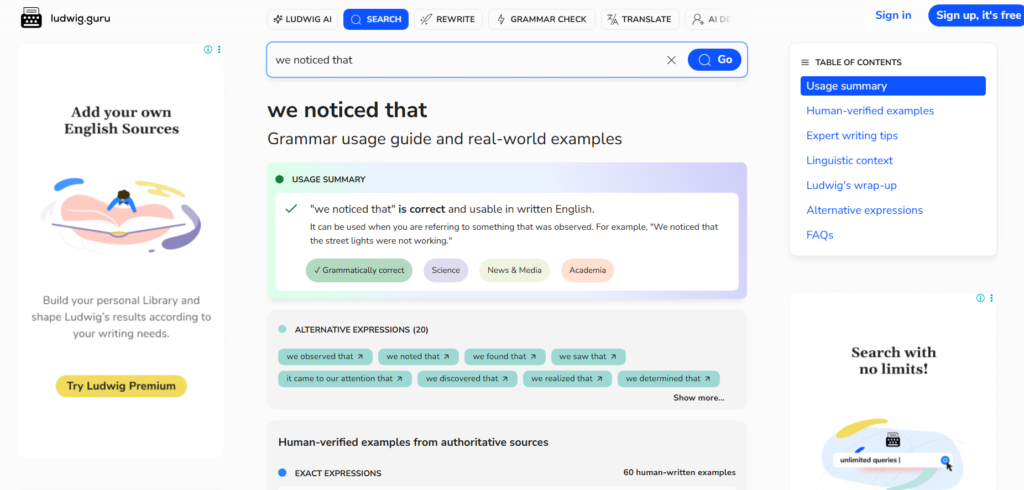
The “We Noticed” template is a friendly approach that shows you’ve done your homework. You open by referencing something specific about the recipient a new campaign, product launch, or social post then segue into how you can contribute or improve it.
Key Features
1. Genuine Observation
Starts with a personal comment that proves you’ve paid attention to the recipient’s brand or activity.
2. Soft Compliment
Acknowledges their effort without overdoing it. Builds a positive tone that invites conversation.
3. Smooth Transition to Offer
Connects your product or service naturally with what they’re already doing.
4. Customised CTA
Ends with a relevant suggestion like “Would it make sense to share a few ideas we’ve seen work well in similar campaigns?”
5. Personal Feel
Keeps tone friendly and authentic to make the message stand out.
Pros & Cons
| Pros | Cons |
| Feels human and researched | Requires time to personalise |
| Builds quick rapport | Not ideal for high-volume sending |
| Great for brand outreach | May seem casual in formal sectors |
Pricing
Completely free template. Most costs arise from time spent researching each prospect.
Best For Agencies and Partnerships
Agencies – Reference client campaigns or site changes to spark conversation.
Sales Teams – Engage companies after major news or funding updates.
PR Professionals – Compliment brand coverage before pitching media ideas.
Verdict: “We Noticed” works because it’s natural and non-salesy. It creates genuine connections and invites responses.
Use LinkedIn activity or press announcements to find relevant “hooks” to personalise each email.
Best Alternate Template
The Trigger Event – ideal if you’re responding to a specific milestone such as funding or acquisition.
7. The Case Study Angle
This template uses proof to persuade. You open with a mini-case study a short success story or metric from your past work and invite the reader to see how similar results could apply to them. It’s trust-building and evidence-focused.
Key Features
1. Real Success Example
Starts with a concise story or data point about a client you’ve helped.
2. Relatable Connection
Links your past success directly to the recipient’s current challenge.
3. Specific Metrics
Uses numbers to show measurable results percentages, conversion improvements, or time savings.
4. Clear Benefit Bridge
Connects the success story to a potential outcome for the reader.
5. Confident Close
Ends with a polite invitation to explore whether a similar approach might work for them.
Pros & Cons
| Pros | Cons |
| Establishes strong credibility | Needs real data |
| Highly persuasive | Risky if results are overstated |
| Works across industries | Requires storytelling skill |
Pricing
Free to implement, though gathering or formatting case studies may take internal resources.
Best For Service Providers and Agencies
Agencies – Highlight successful client metrics in relevant industries.
Consultants – Present measurable client transformations concisely.
Tech Firms – Show proof of concept with user statistics.
Verdict: The Case Study Angle template is persuasive and data-rich. It works well when your brand has verifiable results and you need to impress decision-makers quickly.
Keep your case study within three lines one sentence on the client, one on the result, one on the potential fit.
Best Alternate Template
The Data-Driven Pitch – for a numbers-only, stat-heavy approach.
8. The Follow-Up Reminder
The Follow-Up Reminder template is designed for polite persistence. It’s ideal when a prospect hasn’t replied to your initial message. The tone remains respectful, concise, and focused on value rather than pressure.
Key Features
1. Polite Opener
Acknowledges the previous email briefly without guilt-tripping the recipient.
2. New Angle
Adds a small new piece of information or benefit, giving them a reason to reconsider.
3. Brevity
Keeps it under 80 words to respect their time.
4. Simple Call to Action
Asks a direct question like “Would it make sense to revisit this next week?”
5. Consistent Tone
Maintains professionalism and calm confidence throughout.
Pros & Cons
| Pros | Cons |
| Keeps your name top of mind | Can be ignored if too frequent |
| Builds consistency | Needs careful timing |
| Non-intrusive follow-up | Might lose impact after several rounds |
Pricing
Free typically part of a sequence within outreach software (average £30–£60/month).
Best For Sales Teams and Consultants Managing Pipelines
Sales Executives – Use after 3–5 days of silence.
Consultants – Add a mini insight or update to rekindle interest.
Freelancers – Keep communication active with gentle nudges.
Verdict: The Follow-Up Reminder helps turn silence into engagement. Many deals are closed not by the first message, but by the second or third.
Avoid saying “Just following up.” Instead, lead with something new: an updated stat, testimonial, or brief piece of advice.
Best Alternate Template
The Reconnect Email – perfect for older leads who have gone quiet for months.
9. The Trigger Event
The Trigger Event template capitalises on recent activity a funding round, job post, or press release to time your outreach perfectly. Relevance and timing increase open and reply rates significantly.
Key Features
1. Timely Hook
Opens with a reference to a specific event that’s recent and relevant.
2. Contextual Connection
Explains how your product or service fits naturally into that event.
3. Personal Tone
Uses conversational language to make it feel like a thoughtful observation, not a pitch.
4. Call to Action
Invites discussion on how you could support or align with their current initiative.
5. High Relevance
Tailored content makes this one of the most effective cold email approaches.
Pros & Cons
| Pros | Cons |
| Excellent timing increases reply rates | Requires real-time monitoring |
| Feels personalised | Not scalable for mass outreach |
| Creates immediate relevance | May miss the window if delayed |
Pricing
Free; optional costs for tools that monitor company news or alerts.
Best For Recruiters and Business Development Reps
Recruiters – Contact companies that just secured funding or opened roles.
Business Developers – Reach out when businesses announce expansions.
Agencies – Offer support when firms launch new products.
Verdict: The Trigger Event works because it feels personal and urgent without being pushy. It positions your message as timely and thoughtful.
Use Google Alerts or LinkedIn Sales Navigator to track trigger events daily. Speed is key to success with this template.
Best Alternate Template
The “We Noticed” Template – suitable when referencing smaller updates or social media activity.
10. The Founder Message
This template is powerful because it comes directly from a founder or senior executive. It adds authenticity and authority, making it particularly effective for early-stage startups or small agencies.
Key Features
1. Personal Touch
Opens by introducing yourself briefly, showing ownership and involvement.
2. Honest Storytelling
Shares a quick reason why you’re reaching out often tied to your company’s mission or growth.
3. Empathetic Tone
Acknowledges the recipient’s challenges or role with understanding and respect.
4. Subtle Call to Action
Ends with a simple, non-salesy request such as “Would it be worth a quick chat this week?”
5. Human-Centric
The voice feels genuine, not automated or scripted.
Pros & Cons
| Pros | Cons |
| Creates personal connection | Can’t be scaled easily |
| Builds strong trust | Must be carefully written to sound real |
| Great for small companies | Less effective for corporate brands |
Pricing
No direct cost often written and sent manually by founders for authenticit.
Best For Start-ups and Small Businesses
Founders – Build personal relationships with potential clients.
Small Agencies – Add warmth and individuality to outreach.
Consultants – Show authority while staying approachable.
Verdict: The Founder Message stands out in a crowded inbox. Its simplicity and honesty give it a high response rate, especially in early outreach.
Write it in your natural voice. Avoid corporate language; think as if you’re emailing a colleague, not pitching a stranger.
Best Alternate Template
The Personal Branding Template – ideal for nurturing connections through content or storytelling.
11. The Pain Point Opener
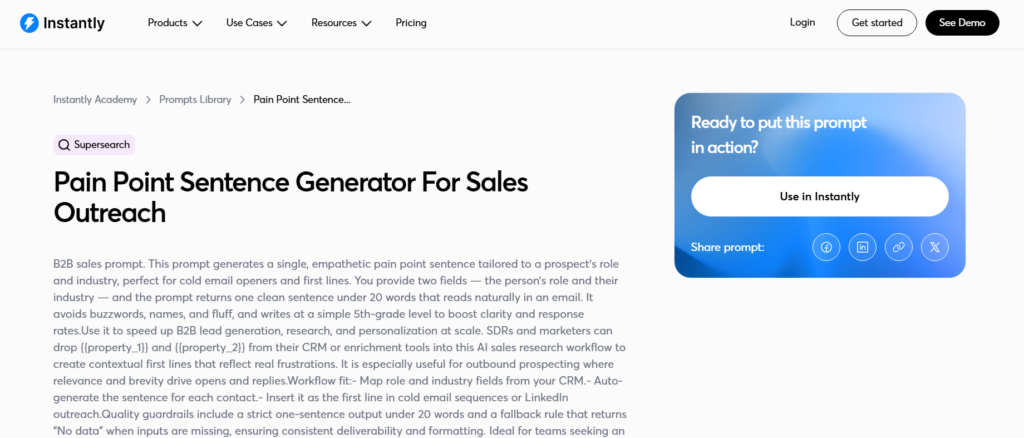
The Pain Point Opener template works because it leads with empathy and precision. It acknowledges a specific frustration your recipient faces, showing that you understand their situation before suggesting a solution. This makes the reader feel seen and understood rather than sold to.
Key Features
1. Empathy-Driven Introduction
Begins with a direct statement about a common challenge, phrased in a way that reflects the recipient’s experience.
2. Clear Relevance
Ties the identified problem to your offer naturally, avoiding generic transitions.
3. Conversational Tone
Uses language that sounds like a real person speaking, not a sales pitch.
4. Subtle Credibility Mention
Briefly highlights your experience solving this problem for similar businesses.
5. Gentle Call to Action
Ends with a soft question like ”Would you be open to seeing how we addressed this with others in your space?”
Pros & Cons
| Pros | Cons |
| Builds strong emotional connection | Requires solid understanding of audience pain points |
| Works for B2B and B2C alike | Can fall flat if pain is inaccurate |
| Encourages replies over clicks | Needs careful tone to avoid negativity |
Pricing
No cost to use. Typically applied within personalised outreach campaigns.
Best For Consultants and Service-Based Businesses
Consultants – Identify operational or performance issues directly.
Agencies – Address measurable marketing or conversion gaps.
Software Providers – Highlight inefficiencies their platform resolves.
Verdict: The Pain Point Opener is one of the most effective ways to break through inbox fatigue. By focusing on empathy rather than persuasion, it builds trust and curiosity right from the first line.
Use industry-specific language when describing the pain. A familiar phrase or term signals credibility and understanding.
Best Alternate Template
The Problem Solver – great when you want to present your solution more assertively after identifying the issue.
12. The ”Quick Question”
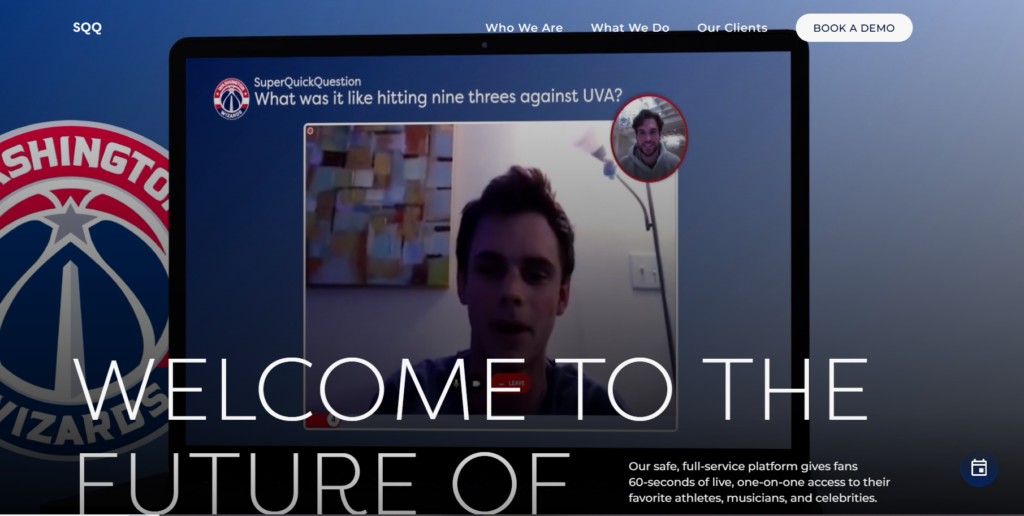
The “Quick Question” template is one of the simplest yet most effective cold email formats. It opens with a short, direct question relevant to the recipient’s role or goal. This low-commitment approach sparks curiosity and encourages engagement because it feels conversational rather than promotional.
Key Features
1. Short and Direct
Leads with a single, relevant question that instantly communicates purpose.
2. Low Pressure
Invites an easy reply without requiring a major time investment from the recipient.
3. Contextual Hook
Briefly ties the question to something specific about their company, product, or recent activity.
4. Subtle Qualification
Helps you gauge interest or readiness without a full pitch.
5. Easy to Personalise
Can be adjusted for any industry or role in seconds.
Pros & Cons
| Pros | Cons |
| Extremely high open rate | Limited space to add context |
| Encourages quick responses | Might be too vague if poorly framed |
| Ideal for testing interest | Less persuasive without follow-up |
Pricing
Free to use. Often used in the first step of a cold outreach sequence to initiate contact.
Best For SaaS Founders and B2B Sales Representatives
SaaS Founders – Ask if prospects face a specific challenge your tool solves.
Sales Teams – Test interest before sharing a full proposal.
Agencies – Start conversations with minimal effort and personalise later.
Verdict: The “Quick Question” template is ideal when you need to break the ice. It feels natural, human, and efficient perfect for initiating relationships with busy decision-makers.
Use a question that’s relevant but slightly unexpected. For instance, instead of asking about budget or pain points, ask about process or preferences something that sparks curiosity without pressure.
Best Alternate Template
The Benefit First – use it when you’re ready to highlight clear results right after your initial question.
13. The Benefit First
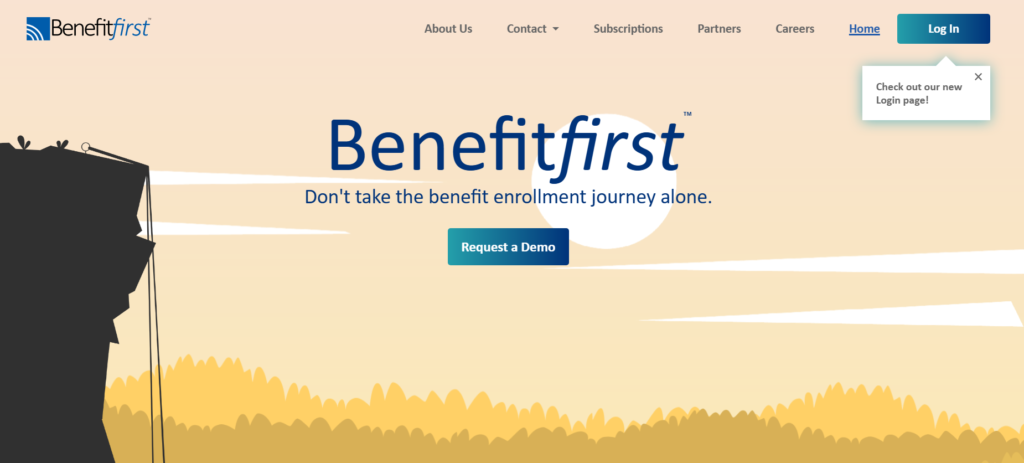
The Benefit First template flips the typical cold email structure by leading with what the reader gains, not what you do. It highlights a tangible outcome upfront, saving time, increasing conversions, reducing costs, making it instantly relevant and value-focused.
Key Features
1. Outcome-Led Opening
Starts with a statement about the specific benefit you deliver rather than your company or service.
2. Strong First Line
Captures attention immediately by showing clear, measurable value.
3. Short Proof Element
Supports the benefit with one data point or client example to add credibility.
4. Smooth Transition to Offer
Connects the initial benefit to how you might achieve similar results for the recipient.
5. Clear, Simple CTA
Ends with a soft close like “Would you like to see how we achieved this?” or “Interested in a brief chat about what worked?”
Pros & Cons
| Pros | Cons |
| Instantly grabs attention | Can sound generic if benefit isn’t specific |
| Easy to scan quickly | Needs real results to back claims |
| Works across industries | May require testing to find best benefits |
Pricing
Free to use. Works best when combined with CRM automation tools or A/B testing platforms.
Best For Logistics, Finance, and Tech Firms
Logistics Companies – Emphasise time or cost savings in supply chain operations.
Finance Firms – Highlight improved ROI or compliance efficiency.
Tech Providers – Focus on measurable performance improvements.
Verdict: The Benefit First template is simple yet persuasive. It earns attention in a crowded inbox because it wastes no time explaining who you are it starts with why it matters.
Test two or three benefit variations across your list. Even small wording changes (like “save time” vs “cut admin hours”) can significantly affect reply rates.
Best Alternate Template
The Quick Win – ideal for turning that initial interest into a booked conversation or demo.
14. The Webinar Invite
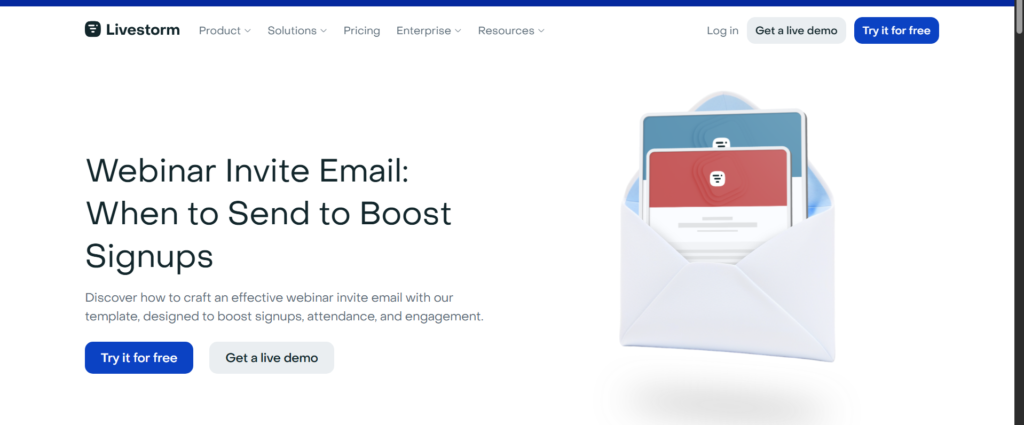
The Webinar Invite template is perfect when you’re promoting an event, training, or live session. It combines curiosity, value, and exclusivity without sounding pushy. By focusing on what the recipient will learn or gain, it encourages participation rather than just registration.
Key Features
1. Compelling Subject Line
Leads with a benefit-focused statement such as “How 200 companies cut costs with smarter automation.”
2. Clear Value Proposition
Outlines what the attendee will take away in practical terms insights, tactics, or proven frameworks.
3. Short Agenda
Includes one or two bullet points to highlight topics covered without overwhelming detail.
4. Authority Signal
Mentions speakers or brands involved to build credibility and trust.
5. Direct CTA
Ends with a simple “Reserve your spot” or “Join us on [date]” line that’s easy to act on.
Pros & Cons
| Pros | Cons |
| Great for audience engagement | Time-sensitive and expires quickly |
| Builds awareness and authority | Requires event management setup |
| Generates high-quality leads | May attract low-intent sign-ups |
Pricing
Free to craft. If managed through webinar software, typical platform costs start from £40/month.
Best For Education Providers and Marketing Agencies
Marketing Agencies – Host training webinars to build thought leadership.
SaaS Companies – Use webinars to demo new features.
Education Firms – Offer sessions that add practical value and build trust.
Verdict: The Webinar Invite template is ideal for nurturing prospects through content. When written correctly, it doesn’t just attract attendees it starts genuine conversations that can convert later.
Add a brief post-webinar hook: “Even if you can’t attend live, would you like the recording?” This helps increase conversions from hesitant recipients.
Best Alternate Template
The Resource Share effective when you want to offer value without requiring attendance.
15. The Problem Agitation
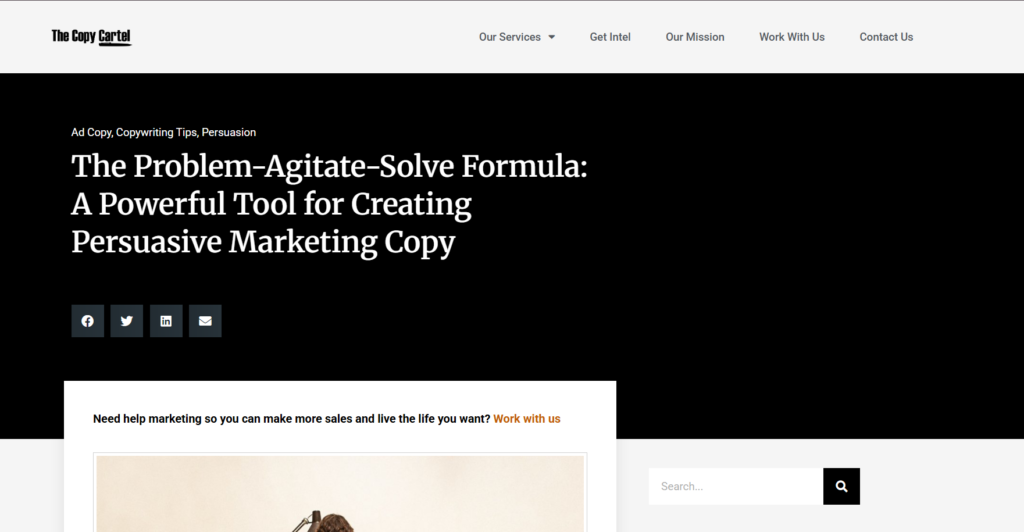
The Problem Agitation template is built around emotional impact. It draws the reader in by highlighting a specific challenge and expanding on the negative consequences of leaving it unresolved before positioning your solution as the logical next step. When written well, it stirs action without sounding manipulative.
Key Features
1. Emotionally Resonant Opening
Starts with a vivid description of the issue that makes the reader nod in recognition.
2. Agitation Layer
Expands slightly on the problem’s effect lost time, wasted budget, or missed opportunity to create urgency.
3. Natural Solution Transition
Shifts smoothly to your offer, showing how it directly resolves the challenge.
4. Brief Credibility Mention
Adds one short example, result, or data point to validate your claim.
5. Direct but Polite CTA
Ends with a question like “Would you be open to discussing how to fix this quickly?”
Pros & Cons
| Pros | Cons |
| Drives strong emotional engagement | Can sound negative if overdone |
| Encourages faster action | Requires careful tone control |
| Great for problem-aware leads | Not ideal for top-of-funnel contacts |
Pricing
Free structure; if used within automated sequences, you’ll only incur platform costs (around £25–£60/month).
Best For Healthcare, Consulting, and SaaS
Healthcare Providers – Discuss compliance, retention, or system gaps.
Consultants – Highlight operational inefficiencies or missed KPIs.
SaaS Teams – Point out manual or outdated processes your platform fixes.
Verdict: The Problem Agitation template works best when your audience already recognises the problem but hasn’t taken action yet. It converts awareness into urgency and primes them for a follow-up discussion.
Avoid fear-driven language. Focus on outcomes and improvements rather than doom-and-gloom scenarios.
Best Alternate Template
The Problem Solver – ideal when you want to provide an immediate, practical fix after establishing urgency.
16. The “Did You Know?”
The “Did You Know?” template grabs attention with a surprising or insightful fact. It’s an educational approach that positions you as informed and credible while naturally leading to your offer. Ideal for awareness campaigns or when introducing new solutions, it opens with intrigue rather than a hard sell.
Key Features
1. Data-Driven Hook
Starts with an interesting or lesser-known industry statistic that instantly catches attention.
2. Contextual Bridge
Links the fact to the reader’s business situation, showing immediate relevance.
3. Soft Value Proposition
Introduces your product or service as a logical continuation of the insight, not an abrupt pitch.
4. Clear Yet Gentle CTA
Ends with a line like “Would you like to see how this applies to your team?”
5. Easy Customisation
Can be tailored for various industries with updated stats or studies.
Pros & Cons
| Pros | Cons |
| Captures curiosity quickly | Requires current, credible data |
| Builds authority subtly | Can lose impact if overused |
| Perfect for top-of-funnel outreach | Less effective for warm leads |
Pricing
Free template. Optional costs apply if you use paid data or research tools for statistics.
Best For Manufacturing, Finance, and B2B Sectors
Manufacturing Firms – Share efficiency or production data relevant to operations.
Finance Companies – Highlight compliance or cost-saving figures.
B2B Agencies – Use marketing performance stats to create intrigue.
Verdict: The “Did You Know?” template is an excellent opener for educational outreach. It’s professional, informative, and often sparks conversations simply because people love learning something new.
Update your data every three months. Fresh, timely statistics add credibility and show that your outreach isn’t recycled.
Best Alternate Template
The Resource Share – perfect when you want to follow up with an actionable guide or article after presenting a fact.
17. The Resource Share
The Resource Share template focuses entirely on giving value first. Instead of pitching, you offer a useful resource such as a guide, checklist, or short video that helps the recipient with a specific challenge. It’s ideal for nurturing relationships and opening conversations in a non-salesy way.
Key Features
1. Value-Led Opening
Starts by briefly mentioning a common challenge and how the shared resource addresses it.
2. Helpful Tone
Reads like advice from a colleague rather than a cold approach.
3. Specific Offer
Includes a direct link to the resource (e.g., PDF, article, or video) with a sentence on what it covers.
4. Low-Pressure CTA
Ends with a polite question like “Would you like more content like this?” to keep engagement easy.
5. High Adaptability
Can be used across industries and audience types, from executives to freelancers.
Pros & Cons
| Pros | Cons |
| Builds trust quickly | Requires strong, relevant content |
| Increases authority subtly | May have slower conversion path |
| Encourages replies over hard sells | Not ideal for short-term deals |
Pricing
Free to send; if using gated resources, landing page tools may cost between £20 and £70/month.
Best For Marketers, Coaches, and Consultants
Marketers – Share an insightful blog or checklist tied to a trending topic.
Coaches – Offer short PDFs that demonstrate expertise.
Consultants – Send industry analysis to position themselves as trusted advisors.
Verdict: The Resource Share template is perfect for long-term relationship building. It shifts the dynamic from seller to advisor, encouraging future dialogue and repeat engagement.
End your email by hinting that you’ll share another resource next week. It gives a reason to reply and keeps the communication thread open.
Best Alternate Template
The Quick Win – ideal for turning soft interest from a resource share into an actionable next step.
18. The Reconnect Email
The Reconnect Email template is for reviving old leads or contacts who once showed interest but went silent. It’s conversational, brief, and focused on reigniting curiosity rather than forcing commitment. Think of it as a friendly check-in that reminds them of the value you offered without pressure.
Key Features
1. Friendly Reintroduction
Begins with a casual line like “It’s been a while since we last spoke” or “We worked together on” to re-establish context.
2. Relevant Update
Includes a new development, feature, or case result that makes your outreach timely again.
3. Polite Curiosity
Asks whether the recipient is still exploring solutions or if their priorities have shifted.
4. Personal Connection
Keeps tone warm and familiar, avoiding any hint of pushiness.
5. Clear but Gentle CTA
Closes with an open-ended question such as “Would you like me to share what’s new since we last connected?”
Pros & Cons
| Pros | Cons |
| Re-engages dormant leads | May not work if timing is poor |
| Builds on existing familiarity | Not ideal for brand-new contacts |
| Polite and conversational | Requires relevant reason to reconnect |
Pricing
Free to use. Works especially well in follow-up sequences using CRM reminders.
Best For Agencies, Consultants, and Account Managers
Agencies – Revisit prospects who paused discussions or delayed decisions.
Consultants – Follow up with clients after completed projects.
Account Managers – Reconnect with inactive clients to offer new updates.
Verdict: The Reconnect Email is a relationship restarter. When you lead with relevance and respect, dormant leads often appreciate the initiative, and many conversations reignite naturally.
Include a “since we last spoke” update about an improvement, award, or client success. It justifies the timing and keeps it purposeful.
Best Alternate Template
The Follow-Up Reminder – better for shorter time gaps between outreach attempts.
19. The Direct Ask
The Direct Ask template is for when you’re ready to move from conversation to action. It’s straightforward, confident, and focused on securing a commitment a call, meeting, or demo. There’s no fluff here; you make your ask clearly while keeping the tone respectful and professional.
Key Features
1. Clear Objective
States the purpose upfront, such as scheduling a short call or sharing a proposal.
2. Brief Recap
References previous contact or context in one sentence to remind the reader why you’re reaching out.
3. Strong Value Statement
Explains the tangible benefit of saying yes saving time, improving a process, or exploring an opportunity.
4. Confident Language
Shows certainty in your offer without sounding arrogant or aggressive.
5. Simple Close
Ends with a calendar link or two specific time options to make the next step easy.
Pros & Cons
| Pros | Cons |
| High conversion potential | Too direct for early-stage leads |
| Clear and decisive | May sound pushy if tone isn’t balanced |
| Short and efficient | Requires previous interaction or context |
Pricing
Free to craft. Works well when integrated with calendar tools or CRM automation.
Best For Tech Firms, Agencies, and B2B Sales Teams
Tech Firms – Push for demos after interest is shown.
Agencies – Use it after warm-up sequences to book discovery calls.
Sales Teams – Convert mid-funnel leads ready to discuss solutions.
Verdict: The Direct Ask template is ideal when you’ve earned the right to ask for time. It’s about momentum not persuasion. When used at the right moment, it drives replies faster than any other format.
Keep it under 80 words. The more direct your message, the higher your chance of getting a response.
Best Alternate Template
The Quick Win – effective for easing leads toward a meeting when they’re hesitant to commit immediately.
20. The ”Let’s Collaborate”
The “Let’s Collaborate” template is built for partnership, co-marketing, or joint-venture opportunities. It focuses on mutual gain rather than selling, making it perfect for building long-term professional relationships.
Key Features
1. Mutual Value Hook
Opens by highlighting a shared goal or complementary service.
2. Genuine Flattery
Acknowledges the recipient’s achievements or audience reach without exaggeration.
3. Collaborative Pitch
Briefly explains what working together might look like sharing audiences, co-hosting events, or exchanging referrals.
4. Trust-Building Element
Includes a small proof of success from a previous collaboration to show credibility.
5. Polite, Forward CTA
Closes with an open question like “Would you be open to exploring a partnership chat next week?”
Pros & Cons
| Pros | Cons |
| Builds strong professional relationships | Not ideal for hard sales |
| Encourages long-term value | Takes longer to see results |
| Expands reach through collaboration | Needs a good mutual fit |
Pricing
Free to implement; collaboration tools or CRMs may add minor operational costs.
Best For Agencies, Influencers, and Content Creators
Agencies – Co-host webinars or share lead pools.
Influencers – Partner with brands for content collaborations.
Consultants – Exchange referrals or cross-promotional opportunities.
Verdict: The “Let’s Collaborate” template is a professional and positive way to open doors. It works best when you can clearly show how both sides benefit a mutual win rather than a one-sided offer.
Mention a small, low-effort first step (like a brief call or idea exchange). It lowers resistance and makes saying yes much easier.
Best Alternate Template
The Referral Nudge – perfect for expanding your professional network after establishing an initial collaboration.
Final Words
The 20 cold email templates shared above have one goal: to make your outreach feel more human, relevant, and effective. Whether you’re chasing new leads, reviving dormant ones, or building partnerships, each structure gives you a proven way to start meaningful conversations.
Cold email success isn’t about sending thousands of messages; it’s about sending the right ones with genuine intent and precise timing. By using these templates thoughtfully, you can expect higher reply rates, better-qualified leads, and stronger business relationships.
If your team wants to refine its cold email strategy or automate outreach without losing personal touch, our team at Pearl Lemon Leads specialises in designing custom outreach campaigns that convert.
We Can Help
At Pearl Lemon Leads, we’ve helped countless businesses turn cold outreach into consistent pipelines of qualified leads. Our tailored approach blends proven templates with data-backed personalisation, ensuring every email feels specific, not spammy.
If you’re ready to see measurable improvements in your outbound results, schedule a consultation with our team today.
Frequently Asked Questions
1. How often should I send follow-up emails?
Between 2-5 follow-ups spaced a few days apart usually performs best. The key is to add value or new information each time.
2. What’s the ideal length for a cold email?
Keep it under 125 words. Clarity and brevity drive better response rates.
3. Should I personalise every cold email?
Yes, even small custom touches like mentioning a recent post or company milestone can double your reply rate.
4. How can I avoid spam filters?
Use verified domains, avoid excessive links, and personalise text-heavy content. Always include an unsubscribe option.
5. When’s the best time to send a cold email?
Weekday mornings (Tuesday–Thursday, 8–10 a.m.) tend to have the highest open and reply rates.
6. How many templates should I test?
Start with three and rotate weekly to see which gets the best response in your industry.
7. Do emojis or images help?
Not usually, text-based cold emails feel more authentic and have higher deliverability.
8. How soon should I follow up after no reply?
Wait three working days before the first follow-up. Adjust timing based on your niche.
9. What tools can automate these cold email templates?
Platforms like Instantly, Lemlist, and Mailshake are reliable for sending, tracking, and personalising sequences.
10. How do I measure success?
Track open rates, reply rates, booked calls, and revenue impact not just clicks. Consistent performance over time indicates a healthy cold email system.